
Online
voice lessons
An online singing lesson where you hear the voice, not “phone-call” processing. The backing track plays in sync on the student’s side, warm-ups come with accompaniment, and intonation shows on a graph — all in one browser window.
The voice is the most fragile thing in an online lesson
Meeting apps are made for conversations. Noise suppression and echo cancellation cut high notes, quiet singing and overtones, and the voice is muted when music plays. A backing track shared via screen sharing reaches the student with a delay — and they sing out of time with what you hear.
I SING Room was created at the I SING Academy voice school for exactly this: the voice comes through clean, the backing track plays for the one who sings, and everything you need for the lesson is at hand.
Tools for singing teachers
Everything works in the browser — for you and for the student. Nothing to install.
- Clean voice soundWith headphones — no echo cancellation or noise suppression. You set the “Student’s sound” yourself: their microphone volume, headphones or speakers.
- Backing track with no delayThe track plays on the student’s side, and you hear the voice right on the music. Tempo, key ±5, verse markers and section loop.
- Warm-ups with accompanimentOver 20 ready-made exercises and your own in a minute: scale, articulation, style, range. The exercise moves up a semitone by itself, and you can give the recording to the student for homework.
- Voice analysisReal-time pitch, intonation accuracy, vibrato, intervals and range — and the student’s progress from lesson to lesson.
- Singing along to YouTubeBoth of you see the video. In “Student mode” the student sings along on their own; in “Teacher mode” you control the video.
- Sheet music, lyrics and lesson recordingShared sheet music with drawing, lesson recording to a video file and homework playlists with backing tracks via a link.
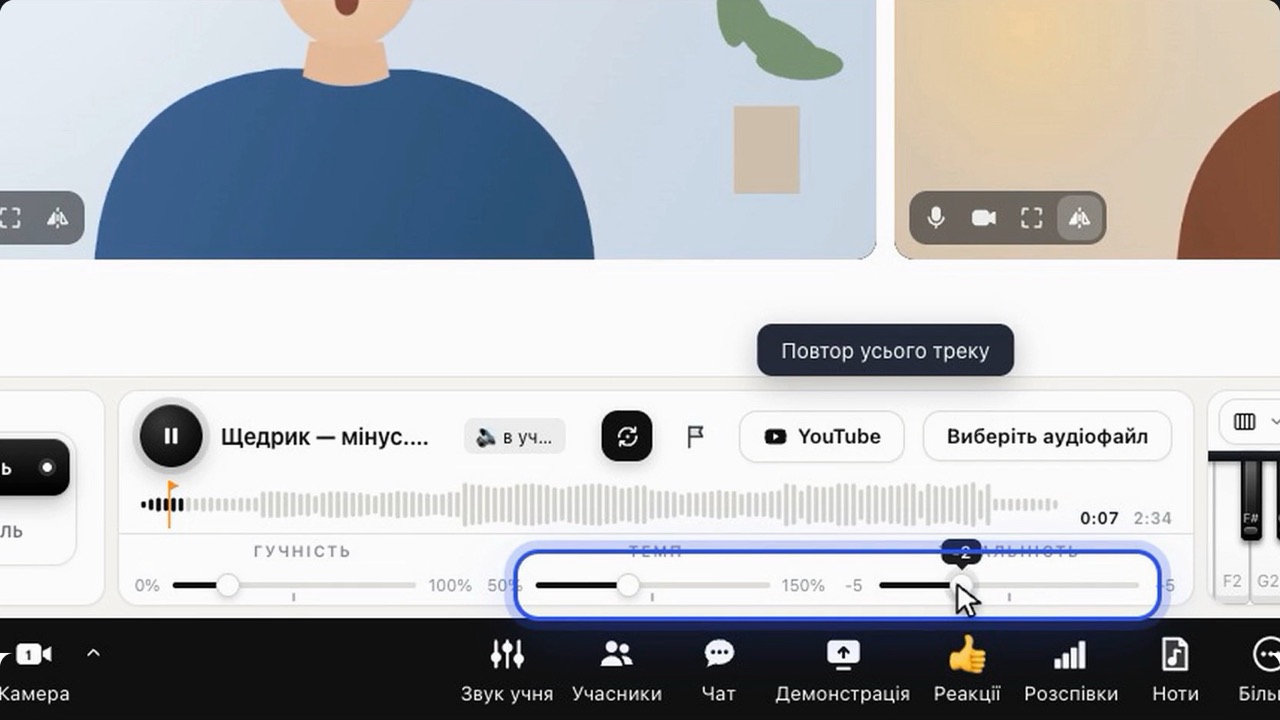
The student sings right on the beat
You choose where the track plays. When it plays on the student’s side, internet delay doesn’t pull the voice and the music apart.
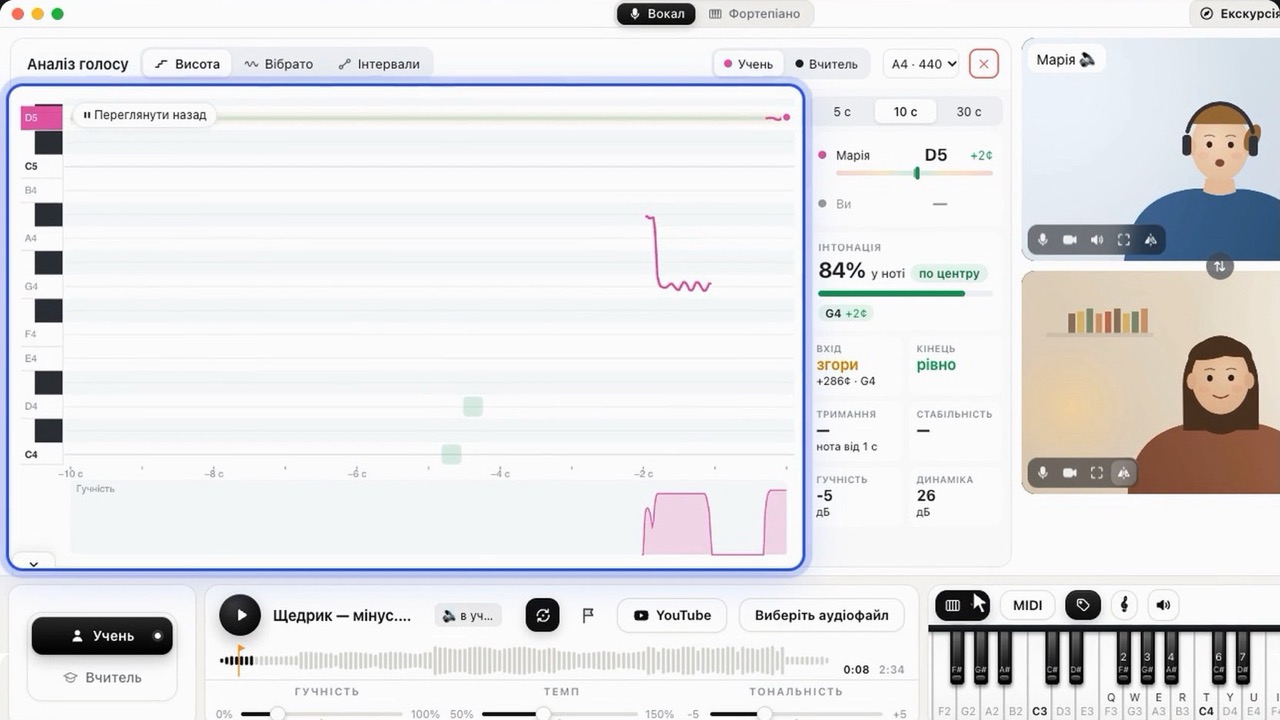
See the intonation instead of guessing
The graph shows every note: where the student hit it and where they “drift”. Range check results are saved in the dashboard.
About online voice lessons
01Can singing be taught online as well as in person?
The key is clean, unprocessed sound and a backing track with no delay. With headphones, I SING Room carries the voice without echo cancellation or noise suppression, and the backing track plays on the student’s side, so you hear their singing right on the music. Everything else — warm-ups, sheet music, intonation analysis — is at hand, just like in class.
02What does a student need for an online singing lesson?
Chrome, Safari or Edge on a computer, tablet or phone, headphones and a link from the teacher. The student doesn’t need to sign up or pay.
03How does the student sing to a backing track if the internet has a delay?
The backing track plays on the student’s side, so they sing right on the beat, and their voice and the music reach you together. You change the tempo and key to suit their voice right during the lesson.
04Can I see the student’s progress?
Yes. Voice analysis shows intonation, vibrato and range, and range check results are saved for each student, so you can see the changes from lesson to lesson.