
Online
piano lessons
Show what to play right on the keyboard: your notes and the student’s appear in different colors, the staff labels intervals and chords, and sheet music or your screen sits in the center. The student opens a link in the browser, and you’re already playing together.
A camera over the keys isn’t a lesson
On an ordinary call a piano teacher tries to catch the student’s hands on camera, explains “second octave, D” and hears the instrument squeezed by sound processing. Sheet music is a separate file in a messenger, the metronome is in another app.
In “Piano” mode the room rearranges itself for a piano lesson: a big keyboard across the bottom of the screen, sheet music in the center, both videos on the sides. With headphones the instrument’s sound comes through with no processing at all.
Tools for piano teachers
Play with the mouse or the computer keyboard, or connect a MIDI keyboard — the student hears every note.
- Big keyboard49, 61, 76 or 88 keys across the bottom of the screen, volume right above the keys.
- MIDIConnect a digital piano or a MIDI keyboard to your computer — your playing sounds in the room right away.
- Your notes and the student’sPressed keys show in different colors for both of you, and the staff shows the notes, intervals and chords being played.
- Sheet music in the centerA PDF or screen share in the middle, pencils and colors, zoom and turning pages together with the student.
- MetronomePlays on the side of whoever is playing — so the click doesn’t lag behind because of internet delay.
- Recording and homeworkLesson recording to a video file and playlists with sheet music and audio for practice at home.
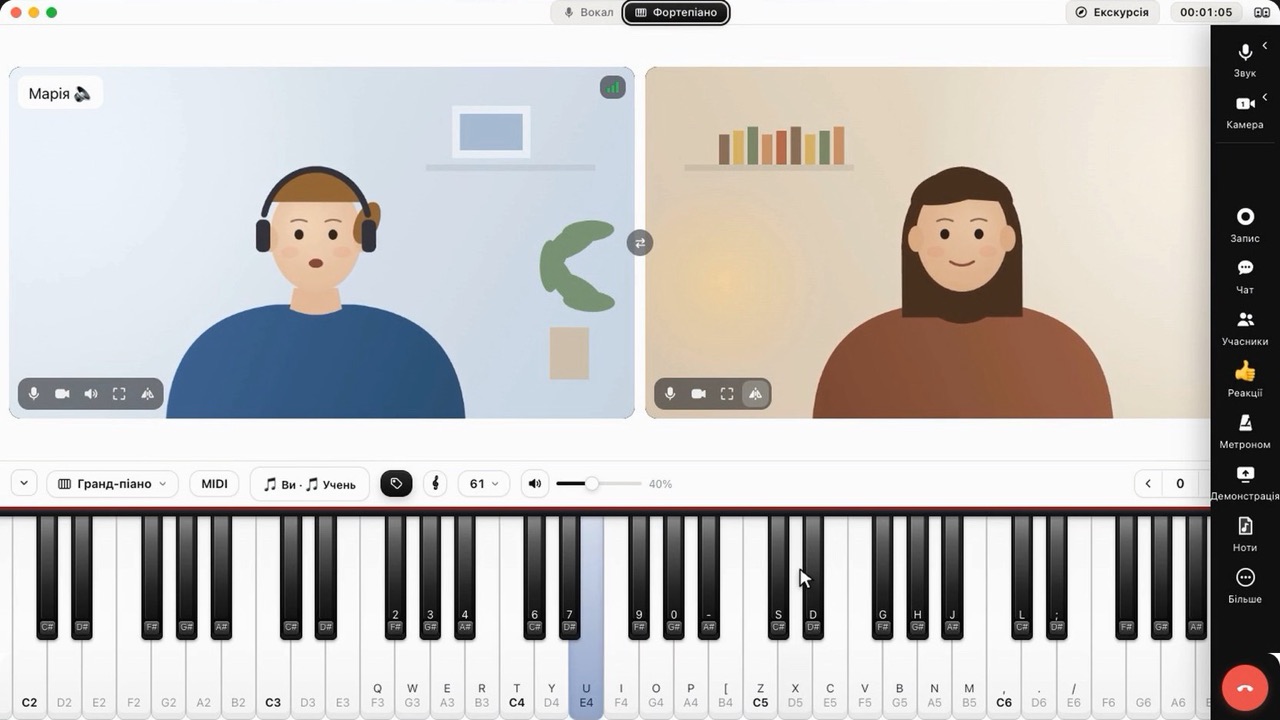
One click — and the room is set for playing
The student switches to the mode together with you, and the button panel tucks away to the side so it doesn’t take up space.
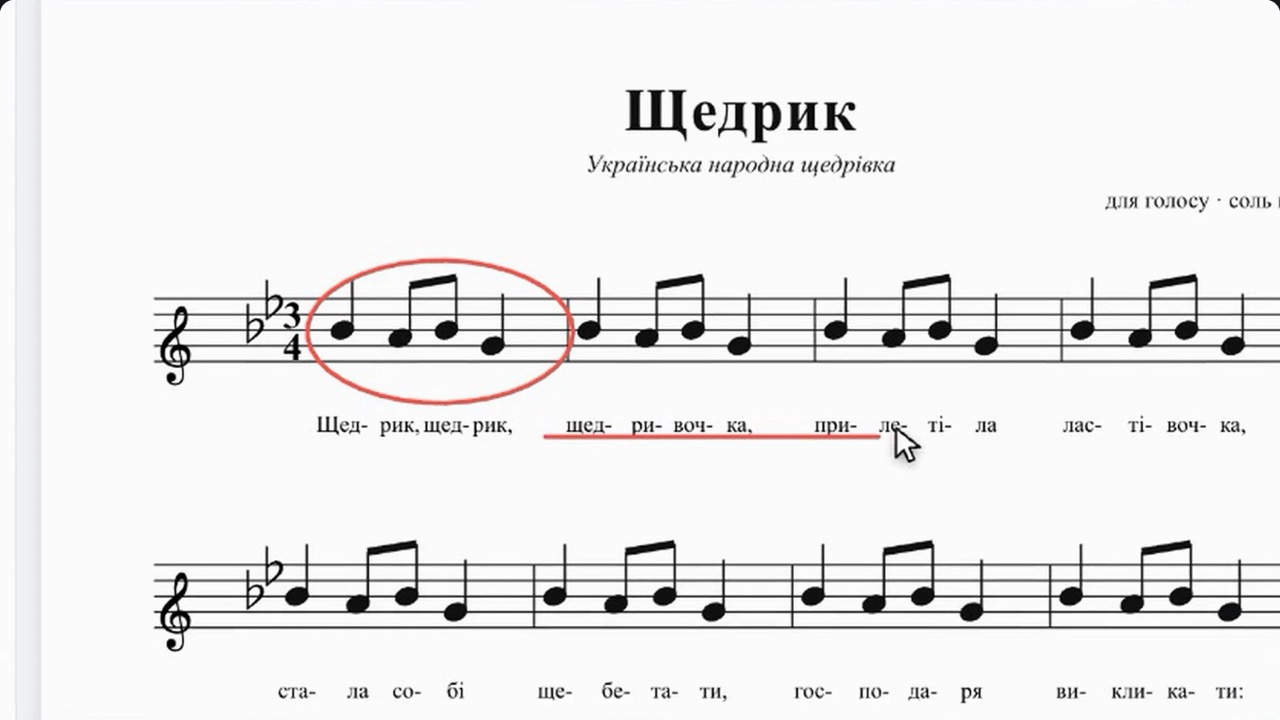
Marks right on the page
Circle a bar, write in the fingering — the student sees every mark instantly.
About online piano lessons
01Does the student need a real piano?
For a playing lesson, yes: the student plays their own instrument, and you hear it in headphones with no sound processing. The keyboard in the room helps you show notes and explain, and a MIDI piano can be connected to play straight into the room.
02How do I connect a MIDI keyboard?
Connect it to your computer with a USB cable and open the room in Chrome or Edge — the keyboard appears by itself, and your playing sounds for both of you right away.
03Is it better to study from a computer or a phone?
For piano a computer or tablet is more convenient: the keyboard and sheet music are bigger. A phone works too — the room adapts to both portrait and landscape screens.
04Can I teach both piano and voice?
Yes, with the “Two modules” plan both modes are available in one room and switch with one click. The 15-day trial includes both modules.