
Backing track with no delay
The student sings to the backing track, and you hear the voice and the music together — right on the beat.
For singing lessons: a clean voice, a backing track with no delay, warm-ups and voice analysis.
For piano lessons: a big keyboard across the bottom of the screen, sheet music in the center, video on the sides.
The student sings to the backing track, and you hear the voice and the music together — right on the beat.
Who plays what is marked differently on the keyboard, for both of you at once.
You can see where the student hit the note and where they “drift” — note by note, in real time.
Not mock-ups — frames from the lesson room and the teacher’s dashboard, exactly as you’ll see them on day one.
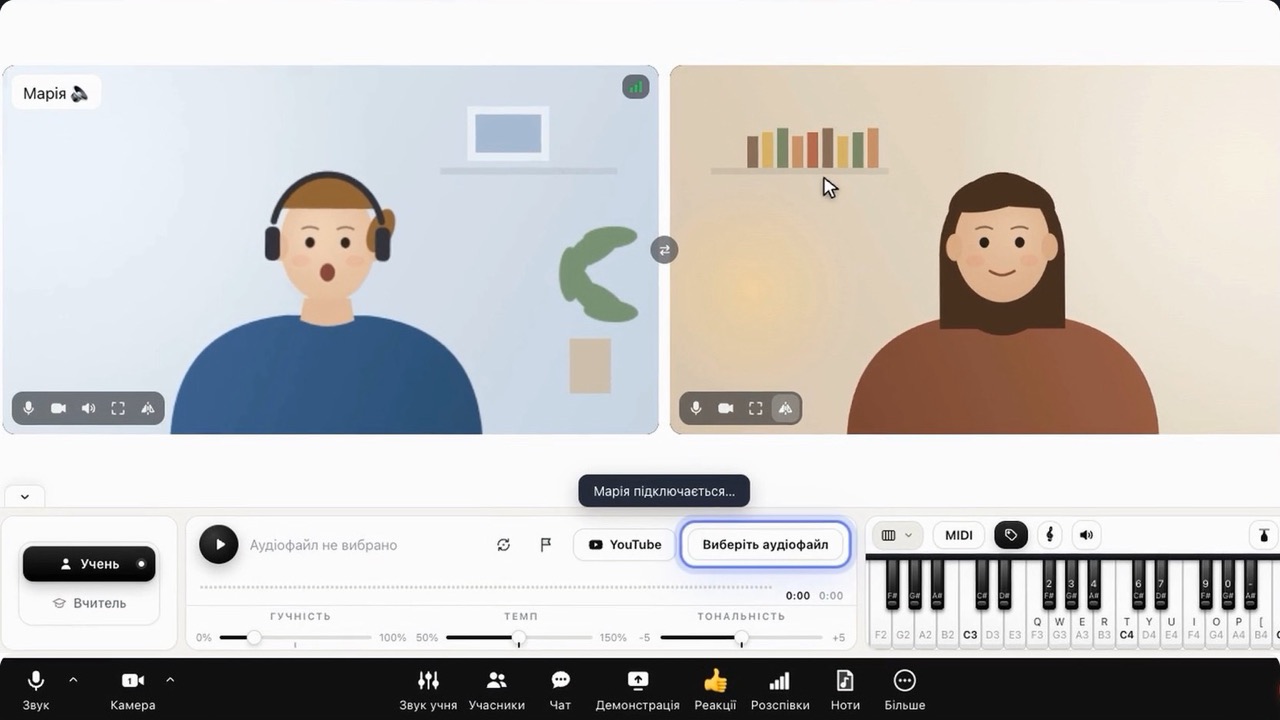
Both videos, backing track, piano, sheet music, warm-ups and voice analysis — no separate apps or tabs. The student sees the same thing.
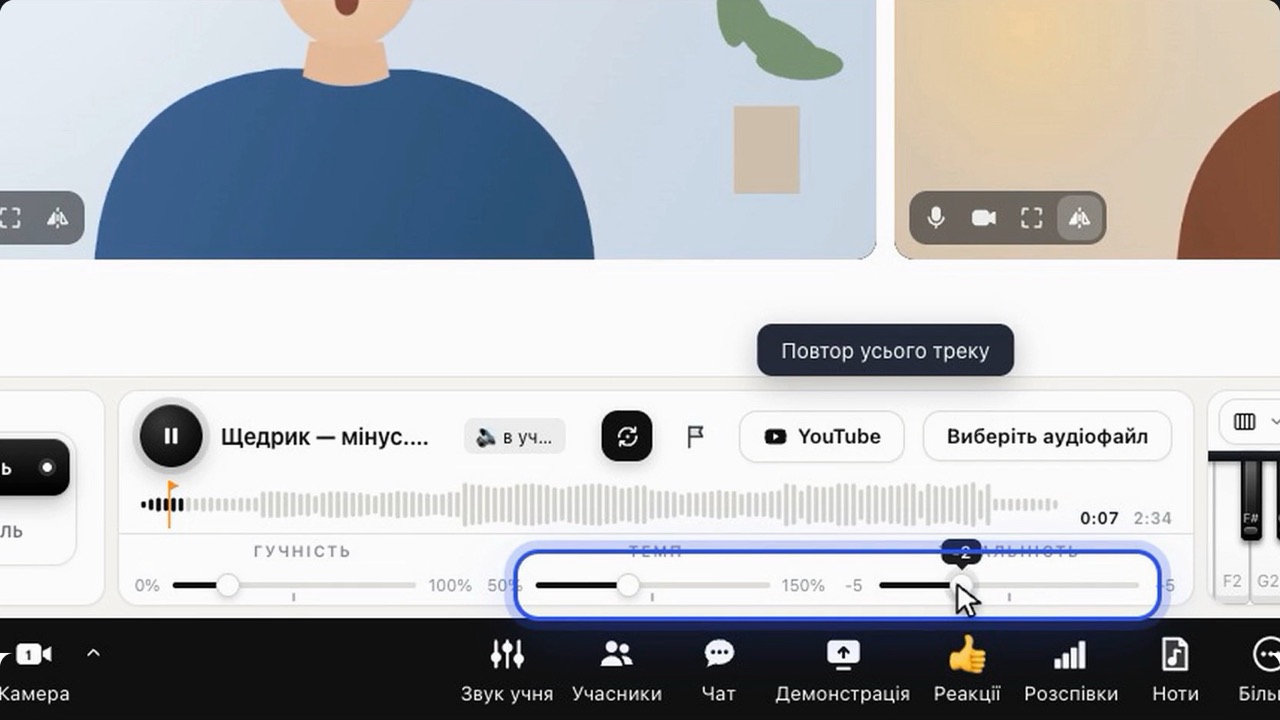
The track plays on the student’s side, so the voice lands right on the music. Verse markers, section loop, tempo and key ±5 — set to the student’s voice.
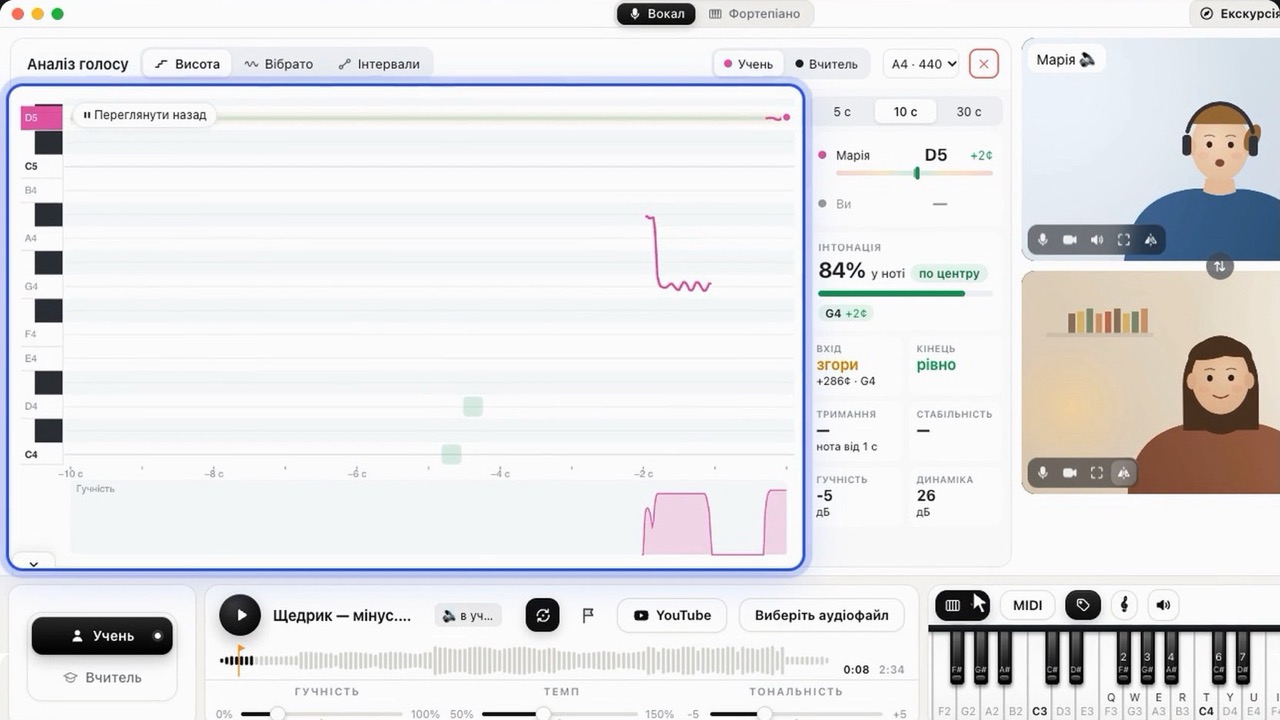
Real-time pitch, intonation accuracy, vibrato and intervals. You can see where the student is on the note and where they “drift”.
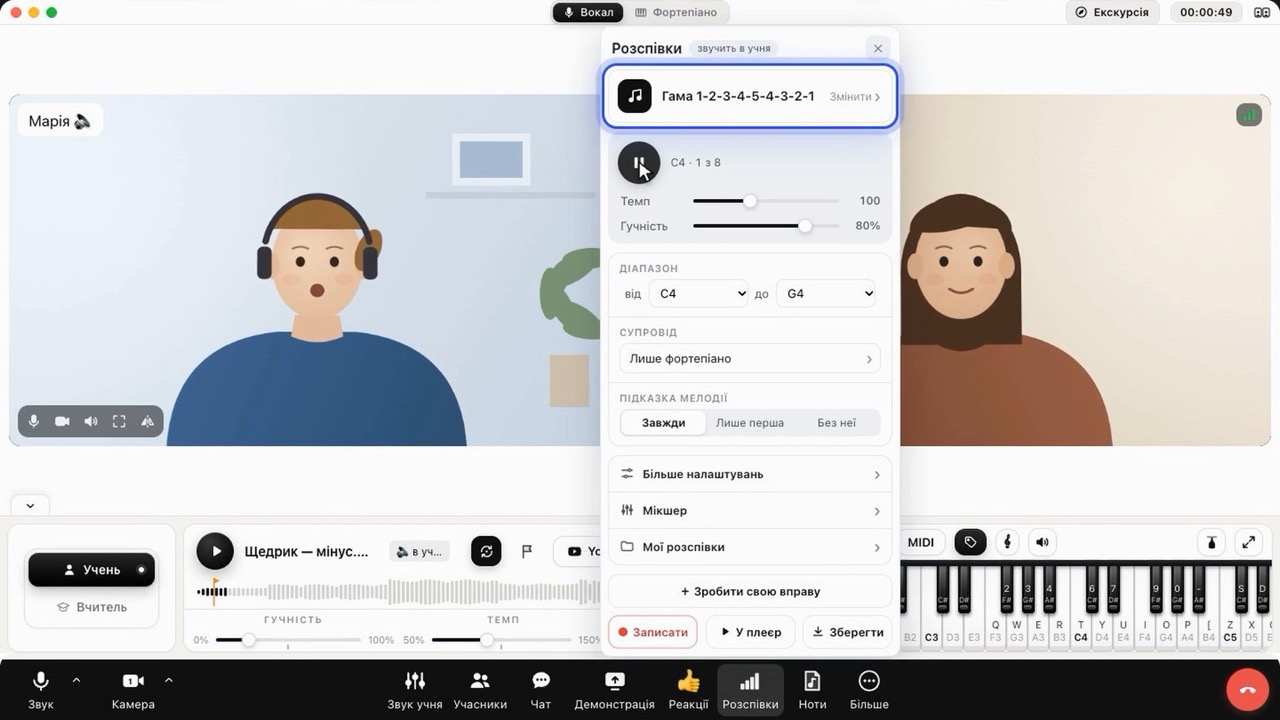
Ready-made exercises and your own in a minute: range, tempo, accompaniment. The exercise moves up a semitone by itself, and you can save the recording for the student’s homework.
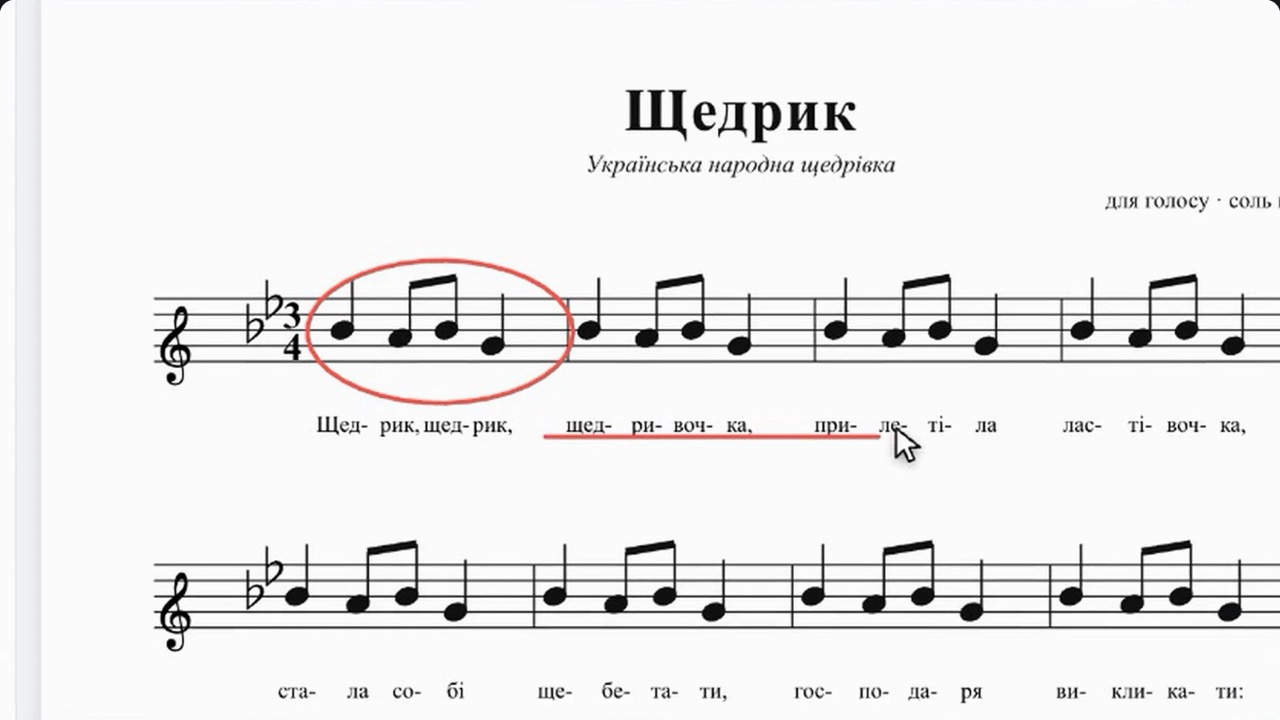
Open a PDF from storage and draw right on the page. The student sees every mark and every page you turn.
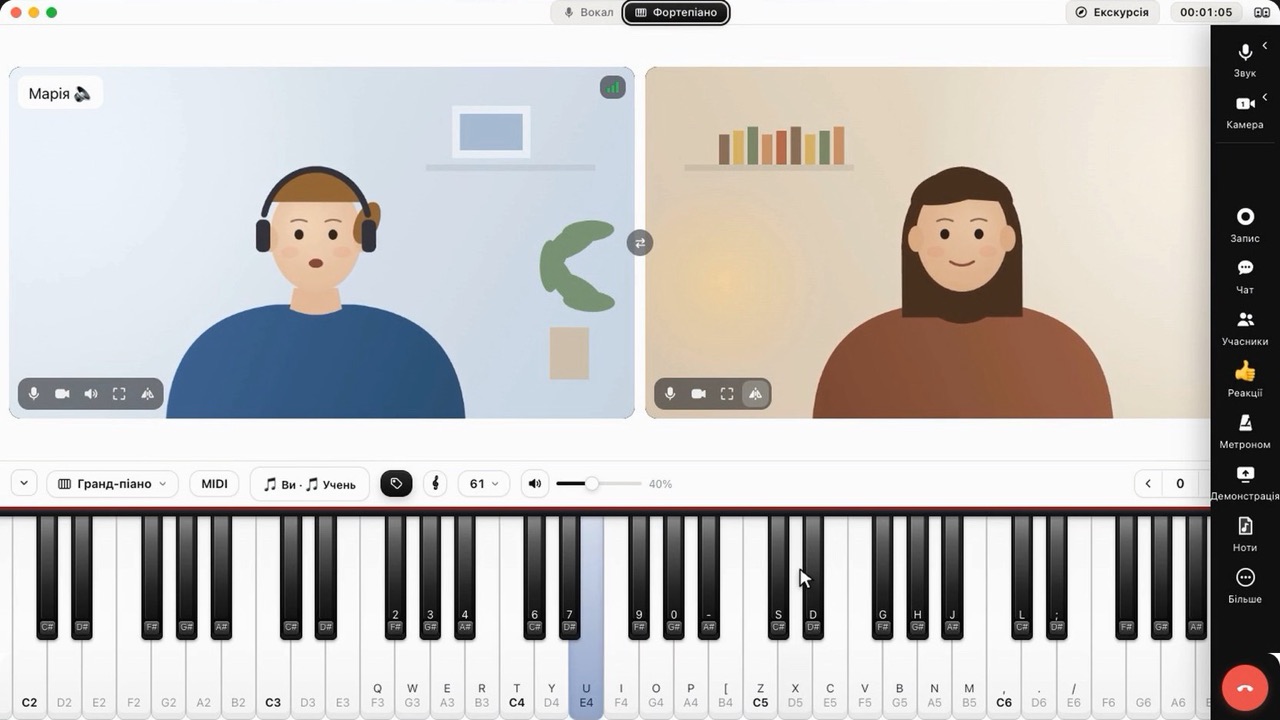
One click and the room is ready for a piano lesson: a keyboard across the bottom of the screen, MIDI, a staff and a metronome.
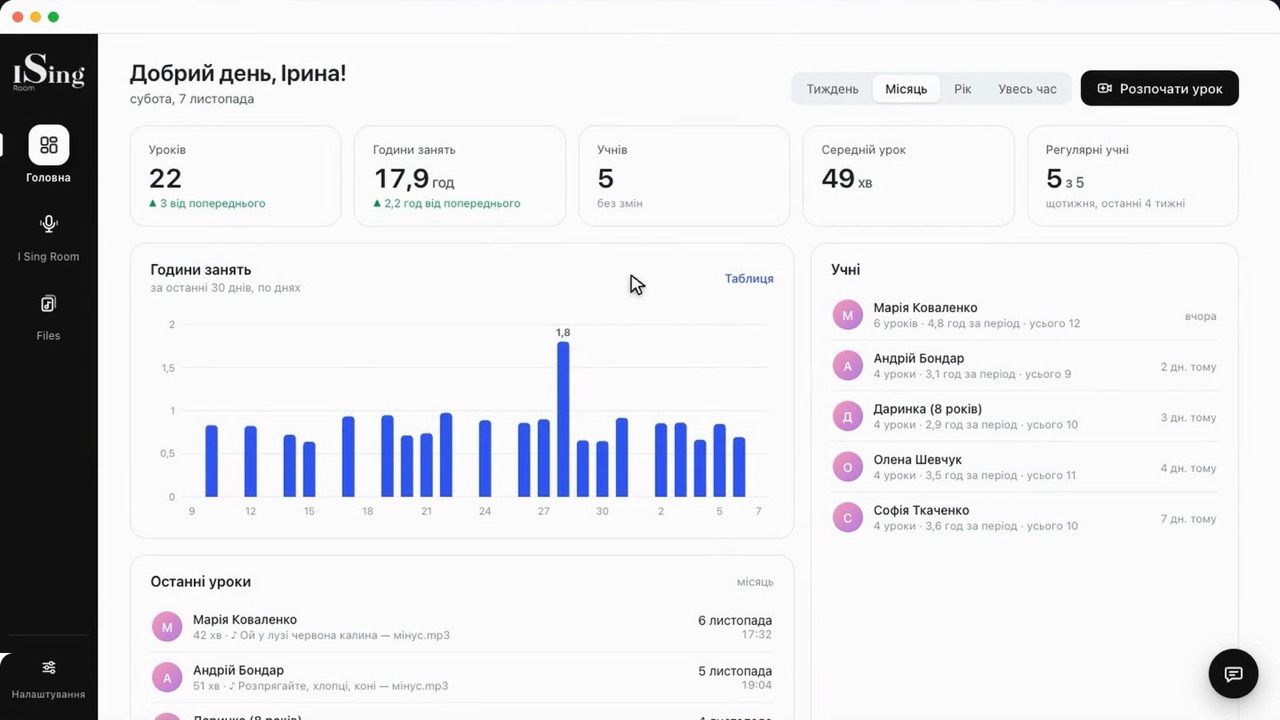
Lessons, hours, students and how regularly they study, files and homework playlists. The room link is permanent — one for all lessons.
Sound without “phone-call” processing: with headphones the voice comes through clean, with no echo cancellation cutting high notes. “Gallery” or “Speaker”, a floating window, a connection indicator for each side.
Upload a backing track — you choose where it plays, so the singer hears it without internet delay. Tempo, key ±5, loop a section and markers on the waveform.
Play with the mouse, the computer keyboard or a MIDI keyboard. Your notes and the student’s look different, the staff shows what’s playing, the metronome plays on the student’s side or yours.
Over 20 ready-made warm-ups with accompaniment and your own exercise in a minute: scale, articulation, style, ensemble. Save it as a file — and the homework is ready.
Both of you see a PDF or a photo of the sheet music. Draw with a pencil and highlighter right on the page, turn pages — the student sees everything instantly.
A big keyboard across the bottom of the screen, sheet music or a screen share in the center, video on the sides. The student switches to the mode together with you.
The “Record” button saves the lesson to a video file — with both videos and sound, so the student can rewatch it at home.
Lesson stats, file storage for backing tracks and sheet music, playlists for students — to listen and view sheet music at home via a link.
Voice pitch in real time: you can see where the student hit the note and where they “drift”. Vibrato, intervals — and each student’s progress from lesson to lesson.